
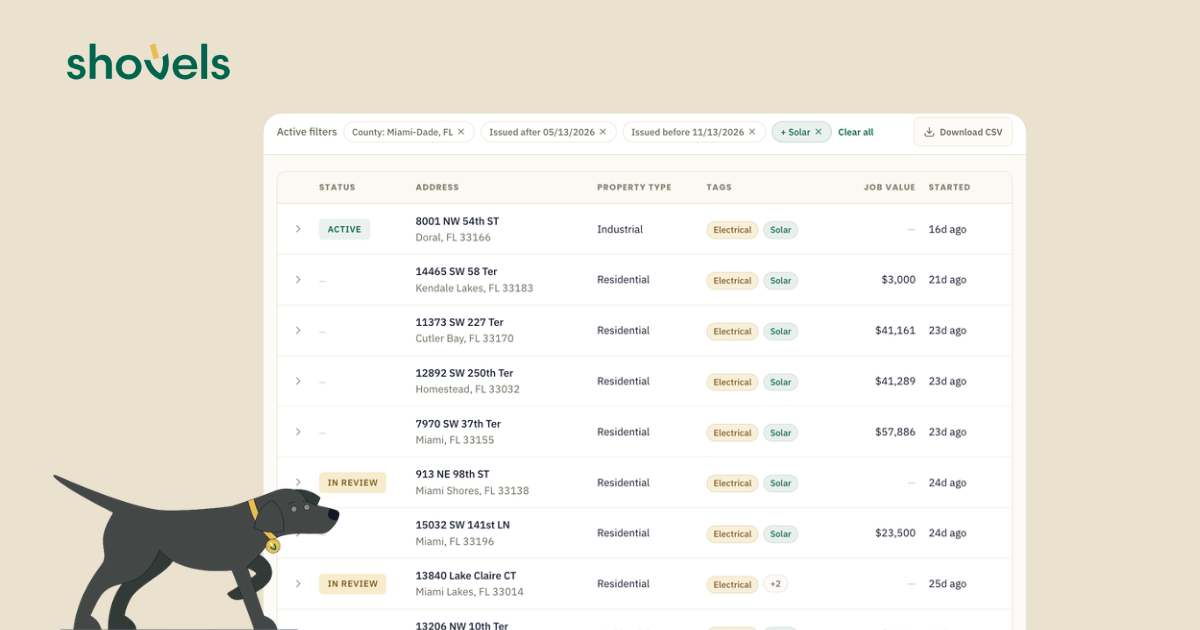

You don't need an engineering team to turn building permits into a prospect list. In Shovels Online, a founder, sales lead, or operations manager can search in plain English, review permits and contractor profiles, then export a CSV to a spreadsheet or CRM.
We put together this guide for solo operators and small sales teams that work in spreadsheets and a CRM but may not have someone maintaining a data pipeline. Our advice? Start with a one-time search with Shovels Online. If you find a workflow worth repeating, you can move it to Google Sheets, Clay, or the API.
Key Takeaways
- No code required: Search, filter, map, and export permit and contractor data in a browser.
- Self-serve from day one: Start free with no credit card. Basic and Pro are billed monthly and don't require a sales call.
- Ask Charlie: The AI agent in Shovels Online turns a question like “top solar contractors in Texas” into filtered results and charts, and shows the filters needed for each answer.
- CSV to CRM: Paid plans export up to 1,000 records at a time for import into HubSpot, Salesforce, or a spreadsheet.
- One credit balance: The web app, API, and CLI share the same monthly credits. One credit equals one exported or API-requested record.
- Automate when you're ready: Clay or the API can refresh a list on a schedule. The Google Sheets add-on pulls permit data into a spreadsheet.
Choose the right way to work with permit data
The best starting point depends on whether you're exploring a market, building a list, or repeating the same search.
| What you need to do | What to use | Do you need engineering help? |
|---|---|---|
| Build a lead list or check a market occasionally | Shovels Online and Charlie | No |
| Look up permits for addresses or contractors already in a spreadsheet | Google Sheets add-on | No, but it requires an API key |
| Refresh a lead list on a schedule and send it to a CRM | Clay with the Shovels API | No dedicated engineer; someone needs to set up the workflow |
| Pull more than 1,000 records at a time or script recurring requests | Shovels API or CLI | No dedicated engineer, but some comfort with JSON, a terminal, or an AI coding assistant helps |
| Add permit data to a product or load full tables into a data warehouse | Shovels data feed | Usually, yes |
Find and export a permit list in Shovels Online
To get started, follow these steps. They take about 15 minutes and don't require code.
- Describe the records you want. Include the geography, work type, property type, and time period. For example: “Reroof permits on single-family homes in Maricopa County, filed in the last 60 days.”
- Ask Charlie or set filters yourself. Shovels Online has filters for location, permit type, date ranges, and more, so you can set exactly what you want. Or describe it in plain English, and Charlie, our built-in AI agent, will turn your request into a search. She checks for synonyms and shares the filters she used. Learn more about Charlie.
- Review a sample. Read several work descriptions and open a few contractor profiles to make sure the results fit your target. Avoid filtering by job value when you can. Many jurisdictions leave that field blank.
- Export the results. Paid plans can export up to 1,000 records per file, at one credit per record. Import the CSV into HubSpot, Salesforce, or a spreadsheet, and map fields such as address, permit date, work type, and contractor.
- Refresh the list when new data arrives. Shovels refreshes permit data twice a month. Reopen the same search and look for new records since your last export.
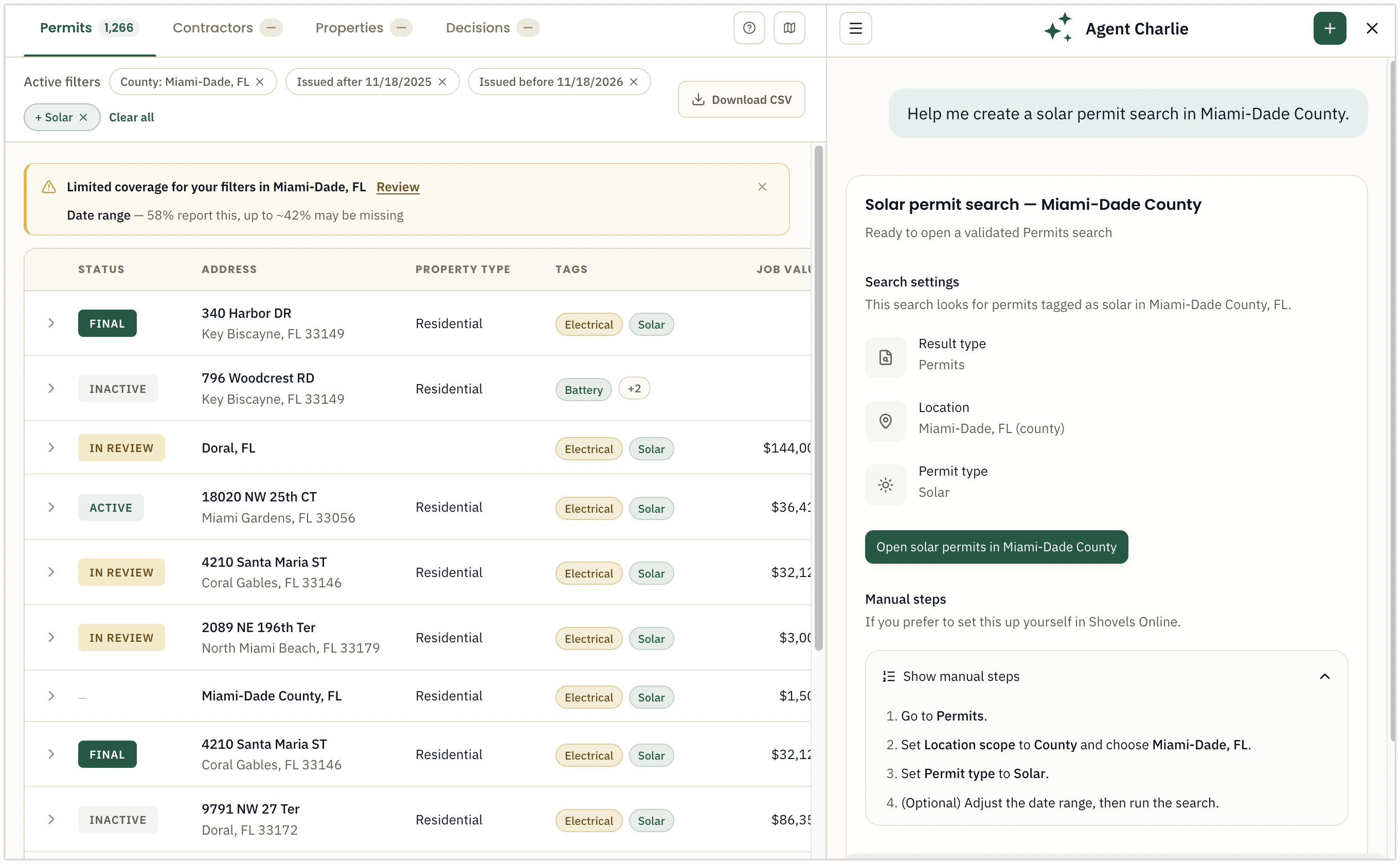 Charlie search: Help me create a solar permit search in Miami-Dade County
A permit records construction work filed with a local government. Depending on the jurisdiction and record, it can include the project address, work type, contractor, stated job value, and approval status. The details available vary by jurisdiction, so review records before using them to make decisions or contact prospects.
What you can look for
A permit can signal that a property owner or business is preparing for a specific project. The examples below show how different teams might turn that activity into a search. Adapt the geography, project type, and time period to your territory.
| Team | What they might look for | Example Charlie prompt |
|---|---|---|
| Solar installers | Homes with recent roof replacements, which may remove one common reason to delay solar | “Reroof permits on single-family homes in Orange County, CA, in the last 90 days” |
| Insurance agents | Contractors actively pulling permits who may need general liability, builder's risk, or bonding | “General contractors in Harris County with more than 20 permits in the last 6 months” |
| Building materials distributors | Active contractors near each branch, by trade | “Top 50 roofing contractors by permit count in Denver County last year” |
| Home services and smart-home sales | Neighborhoods with recent construction and remodel activity for field reps | “ZIP codes in Dallas County with the most residential remodel permits this quarter” |
| Equipment rental and site security | New commercial projects before construction starts | “New commercial construction permits in Nashville over $2 million issued in the last 30 days” |
For a deeper look at finding leads using Shovels, see our guide to construction leads from permit data.
Use Google Sheets for lookups against a list you already have
If your team already tracks properties or contractors in a spreadsheet, the Shovels add-on for Google Sheets can bring permit data into the sheet with formulas. Enter an address or contractor name, and the matching permits appear in a table beneath it.
Setup takes a few minutes: install the add-on and enter your Shovels API key in its settings. The key is stored with that spreadsheet, where other editors can't read it. Records pulled into the sheet draw from the same credit balance as exports.
The add-on is suited to checking a list you already have. To find new leads across a market, start with a search in Shovels Online.
The Shovels add-on for Google Sheets is now free to install from the Google Workspace Marketplace. New to Shovels? Create a free account to get your API key.
Automate a search when you start repeating it
A manual export is a good way to test whether a permit search is useful. If the list needs regular updates, these options range from no-code setup to more technical workflows:
- Clay: Use Clay to call the Shovels API on a schedule and send new permits to your CRM. See how to automate lead generation with the Shovels API and Clay.
- Google Sheets add-on: Use formulas to pull permits for addresses or contractors in a spreadsheet, as described above.
- API or CLI: If someone on the team can work with JSON or a terminal, the Shovels API and Shovels CLI provide direct access to the data without the 1,000-record export cap. The CLI can also be used with an AI coding assistant.
- Data feed: If you need to track permit records at scale, the Shovels data feed may be a better fit and typically calls for engineering support.
Clay, the Sheets add-on, the API, and the CLI use the same monthly credit balance as Shovels Online exports. That means you can test a workflow in the browser before deciding how to automate it.
Plans and credits
Every Shovels plan includes Shovels Online, Charlie, the API, and the CLI.
- Free: $0, 500 credits per month, one year of history, and up to 10 results per query. Useful for checking coverage and testing searches. Downloads aren't included.
- Basic: $599 per month, 25,000 credits. Includes downloads and full historical records, and may fit an individual who builds lead lists.
- Pro: $999 per month, 50,000 credits, for small teams.
One credit equals one record exported from Shovels Online or requested through the API. Searching, browsing profiles, and asking Charlie don't use credits. Credits reset monthly. Check coverage in your markets before you pick a plan.
Build your first permit lead list today. Shovels Online gives you nationwide building permit, contractor, and property data in a browser, with Charlie included. Start free or compare plans.
Frequently Asked Questions
- Do I need an engineer to use Shovels?
-
No. Shovels Online lets you search, filter, map, and export building permit data from a browser, and Clay or the Google Sheets add-on can handle the parts you repeat. Charlie, the AI agent in Shovels Online, accepts plain-English questions and shows the filters she used, so anyone on the team can check the logic.
- Can I export permit data on the free plan?
-
No. The free plan includes Charlie, 500 credits per month, one year of history, and up to 10 results per query, which is enough to explore the data and test searches. Downloads start on the Basic plan.
- How many records can I export at once?
-
Up to 1,000 records per export. For larger lists, split the export by geography, or use the API, which has no export cap.
- Can I export building permit data to HubSpot or Salesforce?
-
Yes. Export filtered permits as a CSV, then use your CRM's standard import tool to map columns to contact, company, or deal properties. Teams that want new permits to flow into the CRM automatically usually connect the Shovels API through a tool like Clay. To work in a spreadsheet instead, the Google Sheets add-on pulls permits for an address or contractor straight into the sheet.
- Do Shovels Online and the API use the same credits?
-
Yes. Every plan includes Shovels Online, the API, and the CLI on one monthly credit balance. One credit equals one record, whether you export it or request it through the API.
- How often is Shovels data updated?
-
Shovels refreshes permit data twice a month and documents each release in its release notes. Any provider is also limited by how quickly each local jurisdiction publishes its permits.
- Does Shovels include contact information?
-
Yes. Shovels includes phone numbers, emails, and websites for 3.89M+ contractors, plus contact information for 30M residential properties, linked to the property address. Contact fields are included in CSV exports.
- What is the difference between Shovels Online and the Shovels API?
-
Shovels Online is for people: you search, review, and export. The API is for software: your product or workflow requests permit records automatically. Both use the same underlying data and the same credits. Many teams prove a workflow in Shovels Online before automating it with the API.